10 Free Invoicing Software For Small Business | Automate Billing Fast
Free invoicing software for small business lets you create and send professional bills without paying monthly fees. Use payment links to help you get paid faster. Start with one free plan and see how much time it saves you.
Author:James PierceReviewer:Alberto ThompsonNov 16, 2025343 Shares49K Views
As a small business owner with tight margins and lots to manage, every dollar matters. You must bill customers, but costly software subscriptions can eat into money you have not yet received.
Tools that claim to be free often hide fees. Knowing this in advance prevents nasty surprises. Here are invoicing services with no monthly fee that produce professional bills and are used by thousands of small businesses.
1. Wave Invoicing
Wave gives small businesses full invoicing tools with no monthly fee. You can send unlimited invoices and add unlimited clients, and the free plan includes basic accounting features so it feels complete, not stripped down.
It creates unlimited invoices with no limit on clients. Use professional, brandable invoice templates. Send automatic payment reminders and set up recurring invoices. Credit card payments cost 2.9% plus $0.60 per transaction, and bank payments cost 1% per transaction. Mobile apps are available for iOS and Android.
It's for service businesses, freelancers and consultants who want solid invoicing without paying subscription fees. Some features that used to be free, like automatic bank imports and transaction auto-categorization, were moved to a $16/month Pro plan. You can still enter transactions manually.
2. Zoho Invoice
Zoho Invoice 's key features are, No cost and no limits on invoices, multi-currency and multi-language support, client portal so customers can view invoices themselves, time tracking and project billing, expense tracking and management, automatic payment reminders and mobile apps with platform-specific tools
It's for small businesses that bill clients in different countries or need detailed financial tracking without complexity. Payment processing fees depend on the third-party gateway you choose. The dashboard gives real-time views of invoices, estimates and payments, with charts that show trends in cash flow and payment timing.
3. Square Invoices
Square Invoices works smoothly with Square’s payment tools, so it’s a good pick if you already use Square for in-person sales. Because Square is a payment processor first, you don’t need a separate gateway to accept payments.
You can send unlimited invoices, estimates, and contracts. The free tier charges 3.3% plus 30¢ on each sale. The Plus plan costs $20 per month and lowers the fee to 2.9% plus 30¢. It includes automatic payment reminders and accepts Apple Pay, Google Pay, and card payments.
You can track in real time when an invoice is viewed or paid. Small businesses that take payments in person and online and want one system for both. Processing fees can be higher than some rivals, and custom invoice templates require the paid Plus plan.
4. Invoice Ninja
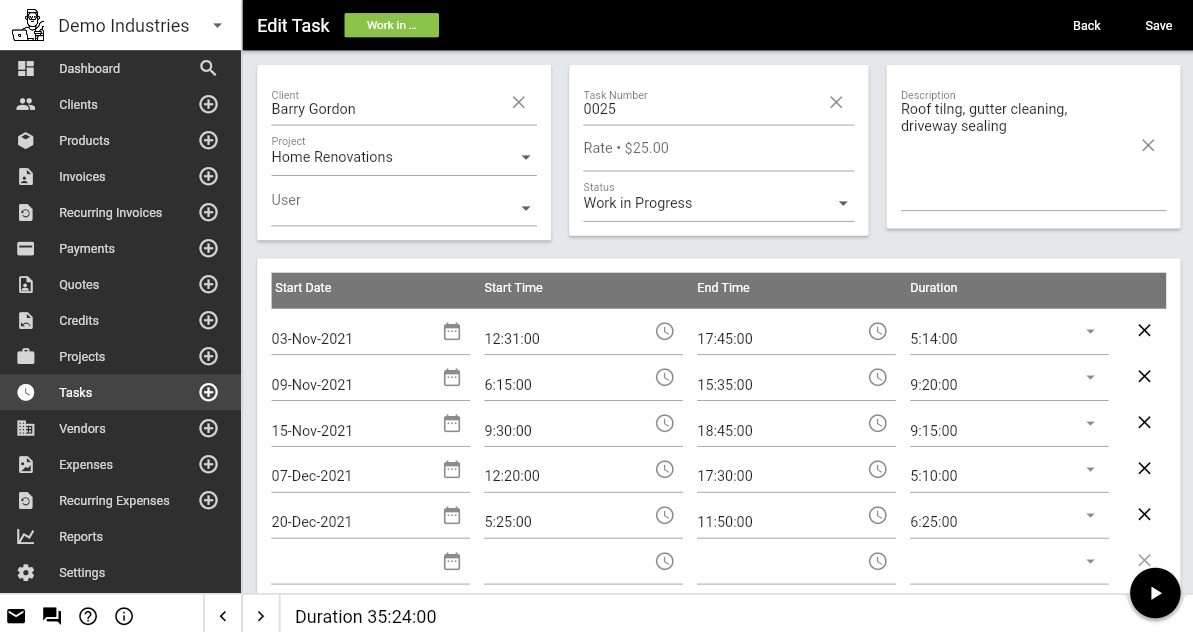
Invoice Ninja gives strong control and customization. Its free tier lets you bill up to five clients with no limits on the number of invoices. You can brand invoices and accept payments online without surprise limits.
The free tier supports up to 5 clients with unlimited invoices. It connects to more than 40 payment gateways. It includes time tracking and Kanban-style project boards. You can add your own branding and use white-label options. It also offers automated recurring billing.
A client portal allows customers to view and pay their invoices. Developers, startups, and small agencies that want full control and the option to host their own instance. It lacks direct links to major accounting packages, so you may need to export or move data manually for complex bookkeeping.
5. PayPal Invoicing
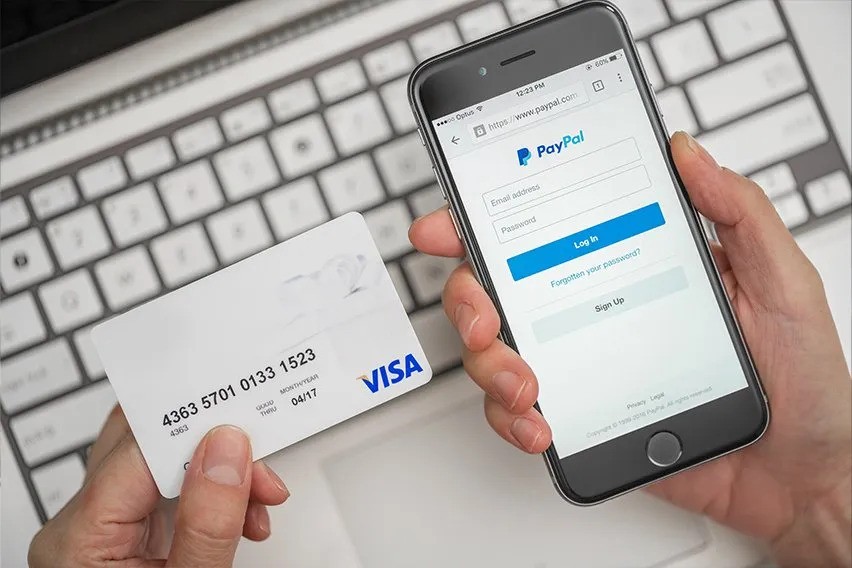
PayPal lets you create and send invoices without a monthly fee. You only pay when a client completes a payment. When quick payment matters, PayPal makes it easy. Clients can pay right from the invoice using their PayPal balance, a card, or Venmo with a few clicks.
There is no monthly software cost, only transaction charges. Card payments have a fee of 2.99% plus $0.49, and PayPal or Venmo payments have a fee of 3.49% plus $0.49. You can customize the invoice with your own branding. The system sends automatic reminders for overdue bills. You can see when a customer opens the invoice in real time.
6. Stripe Invoicing
Stripe combines payment processing with invoicing, built for recurring billing and technical customisation. Stripe handles subscriptions, usage billing, and complex billing rules through its platform.
No monthly software fees. Automates recurring billing. Accepts many payment types. Has a strong API for custom setups. Can create invoices from events or usage. Retries failed payments automatically.
Works well forSaaS firms, membership sites and companies that bill on a subscription or usage basis. Card transactions usually cost around 2.9% + $0.30. Getting the most from Stripe often needs technical skill. Stripe is strong at tricky billing tasks like prorated charges, usage-based billing and layered subscription plans.
7. FreshBooks (Lite Plan)
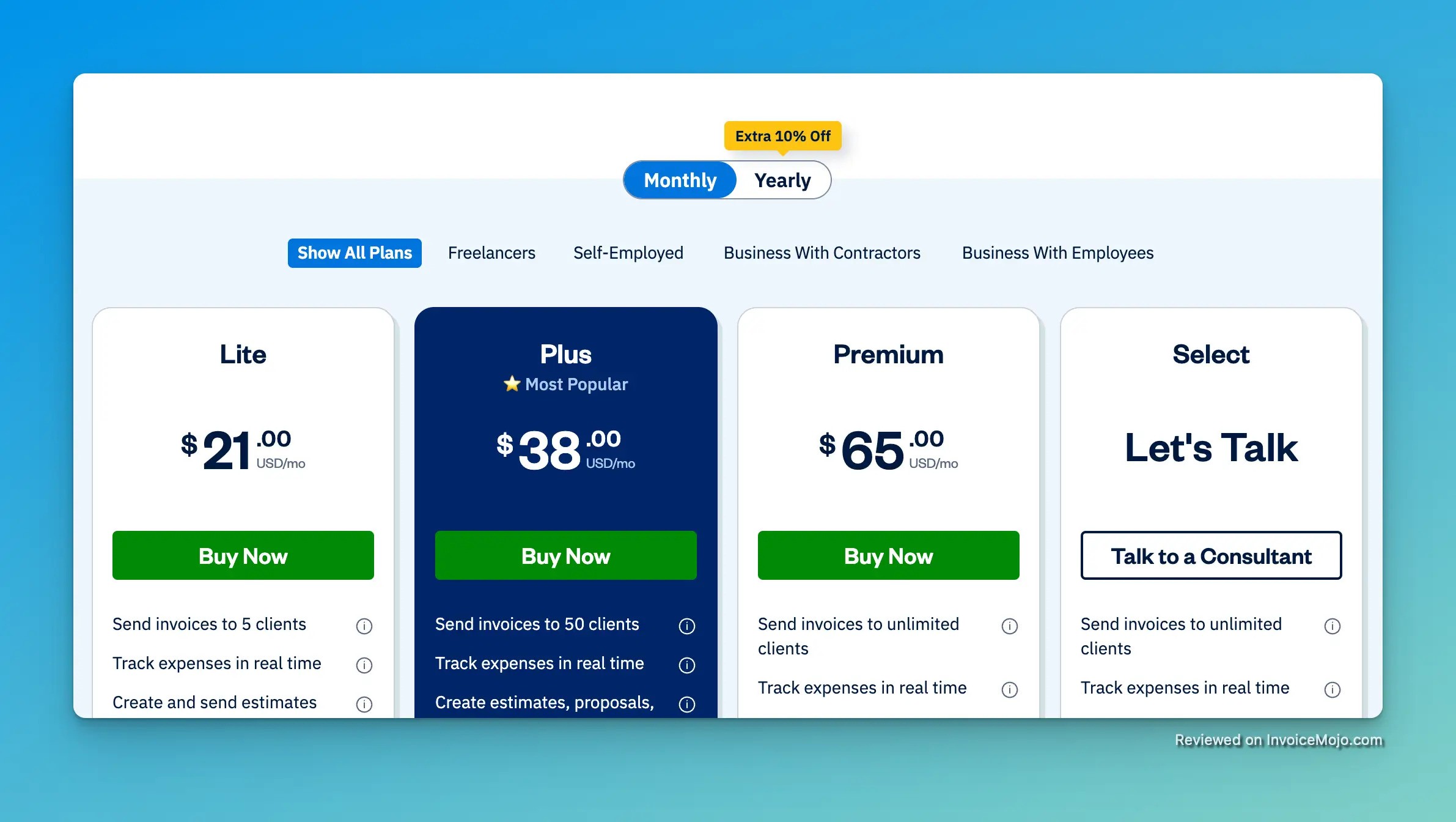
FreshBooks is not free, but the Lite plan at $19 per month is worth a look if you care about making billing smooth for clients. If you sometimes use a free invoice generatorfor quick one-off bills, FreshBooks is still helpful because it supports repeat billing and team features.
It makes invoicing easy, tracks expenses, and includes time tools that help small businesses and freelancers stay organized. You get professional invoice templates, payment links that work with Stripe and PayPal, automatic payment reminders, built-in time tracking, expense logging, and a client portal where clients can leave comments.
The Lite plan is limited to one user and up to five clients. If you need more, the Plus plan at $33 per month supports up to 50 clients. Many users, especially engineers and accountants like that FreshBooks lets them create invoices fast and send them to clients for quick review and approval.
8. Invoicely
Invoicely focuses on plain, no-fuss invoicing. The free tier covers core tasks, creating invoices from templates, tracking expenses and time, generating simple financial reports, and accepting payments through several gateways.
The site works well on mobile and keeps your billing tidy without extra clutter. The free plan limits you to 20 clients, so it fits solo business owners and very small teams. Owners say they like the clean layout and the ease of taking credit card payments right from an invoice.
9. Harvest
Harvest combines time tracking, expense capture, invoicing, and reporting in one place and links to popular accounting tools. It is built for consultants, agencies, and anyone who bills by the hour, tracked hours turn into invoices automatically.
You can track team time, watch project budgets, upload receipts, and pull detailed reports. Harvest has a free level that supports one person and two projects. Payment processing costs will depend on the payment gateway you choose. Agencies value Harvest because it removes manual calculations and makes billing from time logs automatic.
10. Hiveage
Hiveage is made for businesses that bill on a regular schedule, like retainers or subscriptions. It automates recurring invoices, supports many payment gateways, offers a client portal for self-service, and handles expense and time billing plus multiple currencies.
There is a free plan with limited tools, and growing firms usually move to paid plans to unlock full automation. Once you set up recurring billing, the system manages the monthly cycle so you can focus on delivering your service.
Factors When Choosing Free Invoicing Software
Payment Processing Fees
Even if the invoicing app costs nothing to use, money moves through payment systems that charge fees. Expect transaction costs of about 1% to 3.5% depending on how clients pay. Bank transfers or ACH tend to be the cheapest at around 1%, sometimes with a small minimum charge.
Card payments usually run near 2.9% plus $0.30 per sale. Cross-border transactions often carry higher rates. Add these charges into your pricing so your real costs are clear. If you want steadier receipts, you might pair invoicing with a fixed-rate annuityto lock in predictable payments over time.
Client And Invoice Limits
No-cost plans often come with limits. Some services restrict the number of clients to about 5 to 20. Others cap the number of invoices each year, commonly between 500 and 1,000. Most free tiers only allow a single user account. Check these boundaries before you commit so you do not face an awkward migration later.
Features To Prioritize
Automation saves time by sending reminders, sorting expenses, and handling recurring billing without manual work. Mobile access matters because many business tasks now happen on phones.
Brand customization helps your documents look professional by adding logos and brand colors to templates. Reporting tools let you see income, expenses, and cash flow so you can make smarter decisions.
Integrations To Check
Make sure the software connects easily with your existing tools. Important links include accounting packages like QuickBooks and Xero, payment services such as Stripe and PayPal, project managers, time trackers, and your bank. Smooth integration avoids duplicate work and reduces errors.
Common Mistakes To Avoid
One major error is choosing a plan that fits today but blocks growth tomorrow. If the free tier only supports five clients, ask what happens once you add a sixth. Another trap is weak support, many free options rely on help articles or community forums rather than live chat or phone help.
Never ignore security, confirm the provider uses SSL, stores data safely, and follows relevant rules for handling financial information. Finally, do not assume that no-cost equals weak; some robust options offer many features without a monthly fee.
FAQs About Free Invoicing Software For Small Business
What's The Best Free Invoicing Software For A Small Business?
Wave gives the most for free, unlimited invoices, unlimited clients and simple accounting tools at no monthly cost.
Do Free Invoicing Tools Have Hidden Fees?
The app itself may be free, but payment processing usually costs money.
Is Free Invoicing Software Safe?
Trusted free platforms use strong security measures. Wave uses 256-bit SSL and meets PCI-DSS Level 1 standards.
What If I Go Past A Free Plan's Limits?
Invoice Ninja’s Pro plan removes client limits for a small monthly fee. Upgrading usually only requires starting a subscription and your data stays in place.
Do I Need Separate Accounting Software?
Wave’s free plan includes basic accounting and bank features, which can be enough for simple bookkeeping.
How Do Free Invoicing Apps Earn Money?
They make money from payment processing fees, paid subscriptions and extra services like payroll.
Final Thoughts
The platforms here power thousands of small businesses, freelancers, and startups that run on tight budgets. Pick one service's free tier and use it for 30 days with real invoices.
Since these plans cost nothing, try a few to see which one makes your work smoother. The best invoicing tool is the one you actually use. Favor simplicity, automation and reliability over features you won't touch. Getting paid should be simple and cheap. With these tools, it can be.
Also Check Out: Cryptocurrency In Cross-Border Payments
Jump to

James Pierce
Author
James Pierce, a Finance and Crypto expert, brings over 15 years of experience to his writing. With a Master's degree in Finance from Harvard University, James's insightful articles and research papers have earned him recognition in the industry.
His expertise spans financial markets and digital currencies, making him a trusted source for analysis and commentary. James seamlessly integrates his passion for travel into his work, providing readers with a unique perspective on global finance and the digital economy.
Outside of writing, James enjoys photography, hiking, and exploring local cuisines during his travels.

Alberto Thompson
Reviewer
Alberto Thompson is an acclaimed journalist, sports enthusiast, and economics aficionado renowned for his expertise and trustworthiness. Holding a Bachelor's degree in Journalism and Economics from Columbia University, Alberto brings over 15 years of media experience to his work, delivering insights that are both deep and accurate.
Outside of his professional pursuits, Alberto enjoys exploring the outdoors, indulging in sports, and immersing himself in literature. His dedication to providing informed perspectives and fostering meaningful discourse underscores his passion for journalism, sports, and economics. Alberto Thompson continues to make a significant impact in these fields, leaving an indelible mark through his commitment and expertise.
Latest Articles
Popular Articles